ENGI industrial inspection
A multilingual platform for engineering, software, and robotics: content and product sales, live chat with automatic translation, video and file services, fine-grained permissions, and a flexible Docker architecture.
⬇ Download PDF (in your language)
Accounts
Registration, login and profile
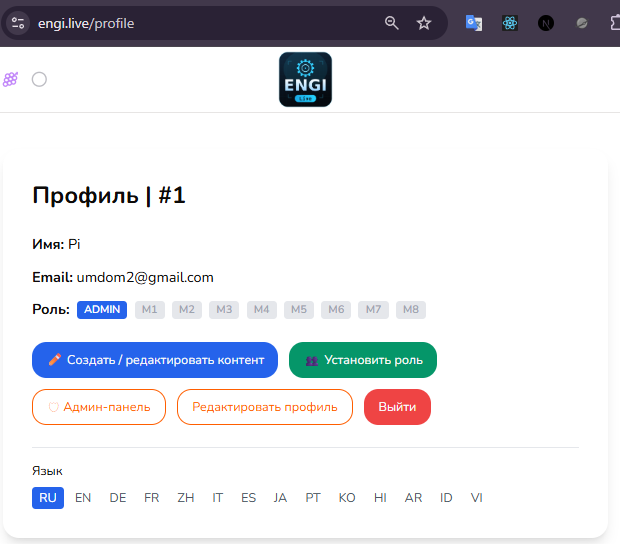
Login via email + password, Google, or GitHub , with email confirmation and password reset; passwords are stored as a hash. Your role and all M1–M8 permissions (active ones are green, inaccessible ones are gray), along with a language switcher and permission buttons, are visible in your personal account.
Communications
Chat and Multichat
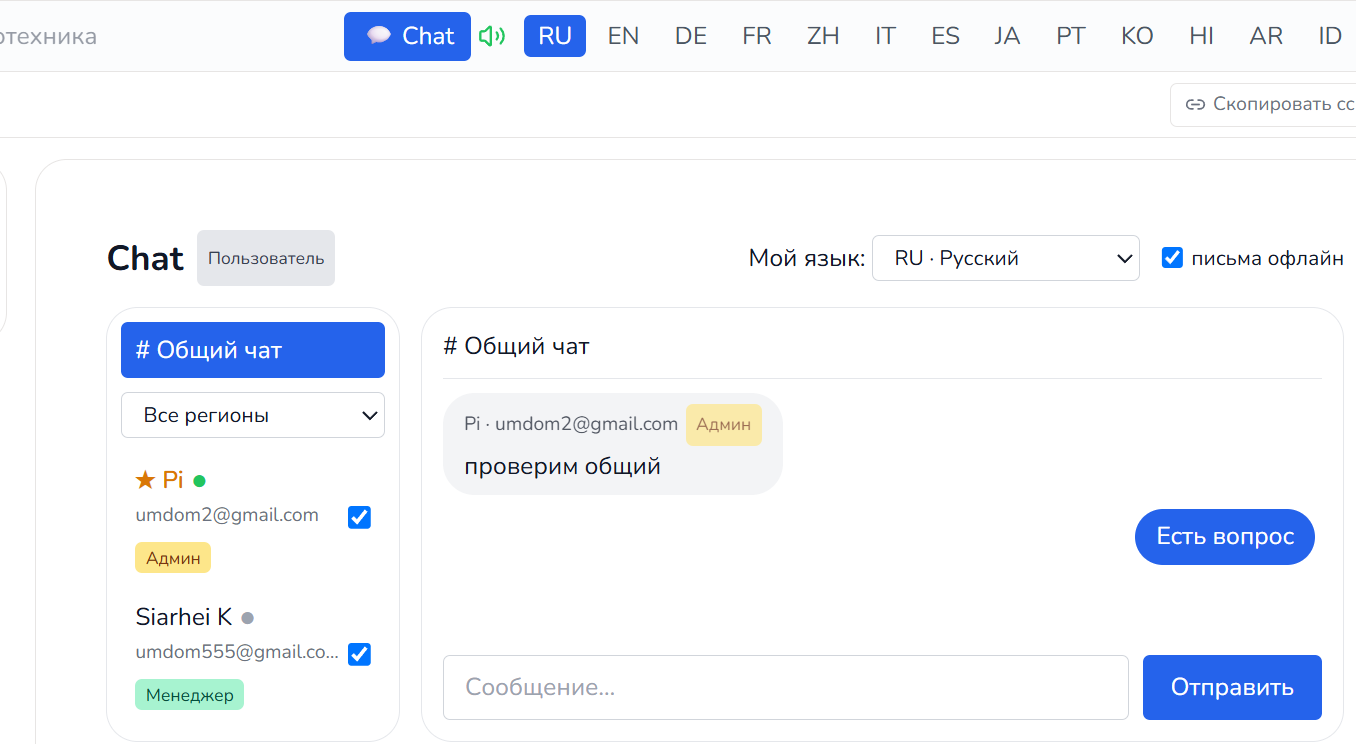
Three channels: general chat , manager chat (ChatM) , and private dialogues . Clients immediately find their "personal" language manager and begin a dialogue in any language.
Two-way live translation
The message is stored in its original form, and the recipient reads it in their own language (the translation is cached). The sender sees how their text appears to the recipient.
Online and alerts
The "online" status is visible throughout the website. Managers have two chat buttons (Chat, ChatM), and clients have one. Circles: green for new private message, yellow for general chat. When sound is enabled, a notification is sent for private messages, even if the chat isn't open and the window is minimized. If offline, an unread message is sent, translated into the recipient's language.

Control and video calls
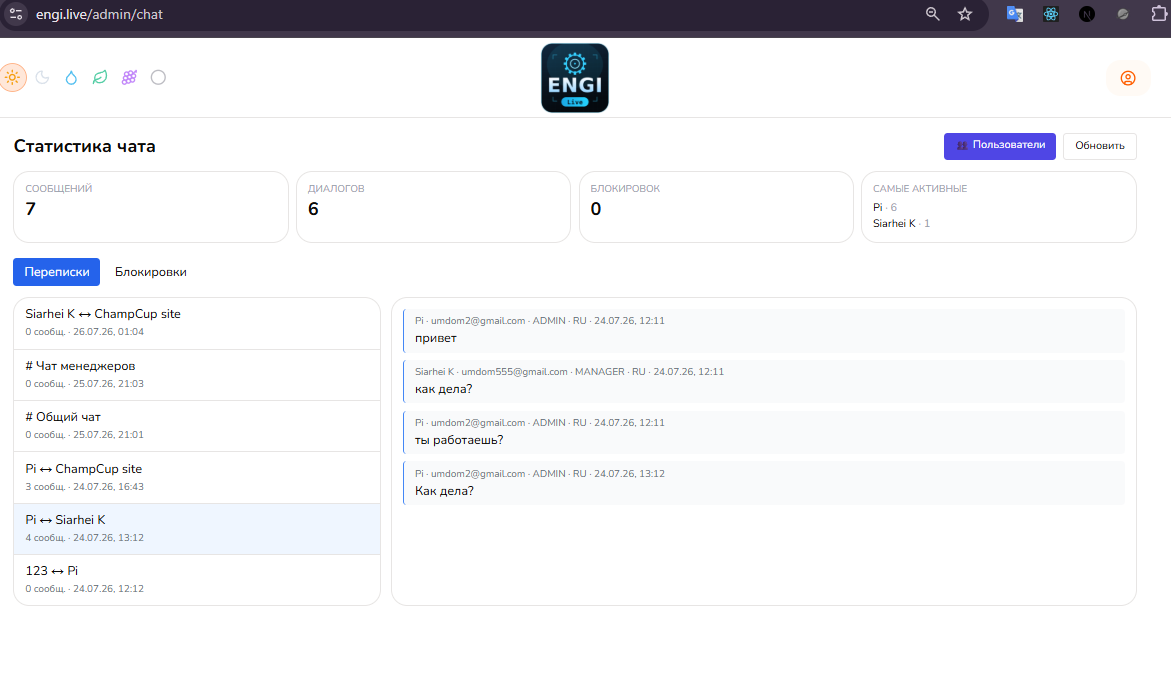
The administrator or designated manager can view all manager-client communications for quality control and dispute resolution. Encrypted video calls (WebRTC + proprietary TURN server) are available.
Safety
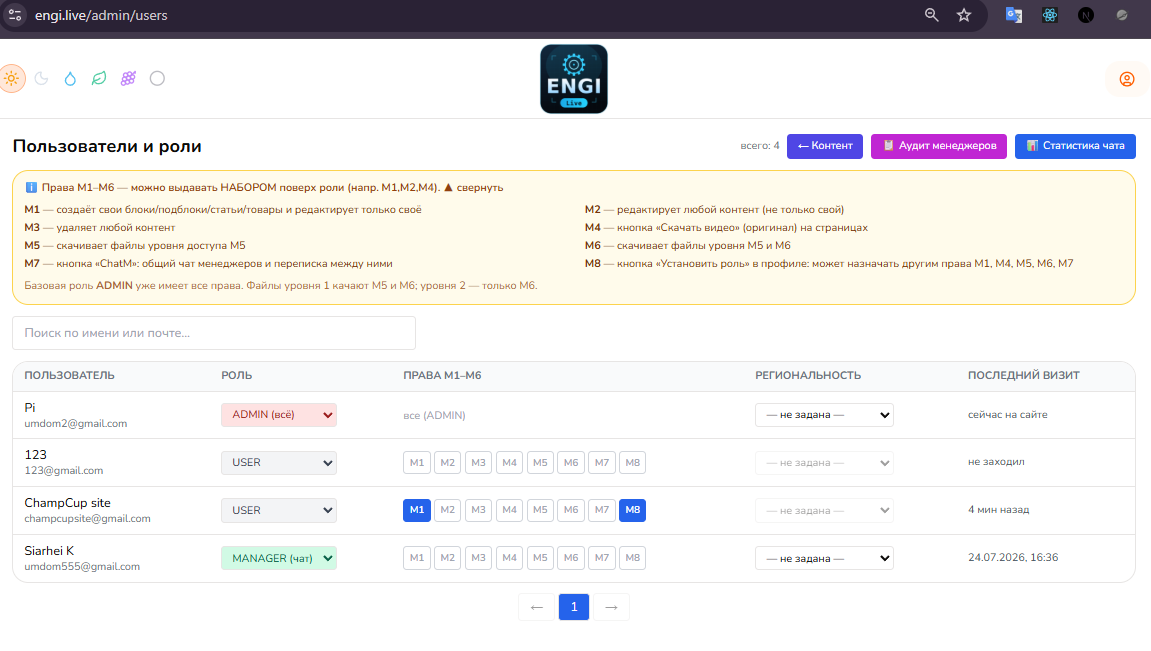
Access rights
Basic role (USER / MANAGER / ADMIN) plus specific set of rights:
| Right | What does it give? |
|---|---|
| M1 | creates its own content and edits only its own |
| M2 | edits any content |
| M3 | removes any content |
| M4 | download the original video |
| M5 | Downloading M5 level files |
| M6 | Downloading M5 and M6 level files |
| M7 | Chat Managers (ChatM) |
| M8 | assigning rights M1, M4, M5, M6, M7 to others |
ADMIN assigns any rights; M8 assigns a limited set. Administrator rights cannot be changed. Checks are performed on the server, not just in the interface.
Media
Video service
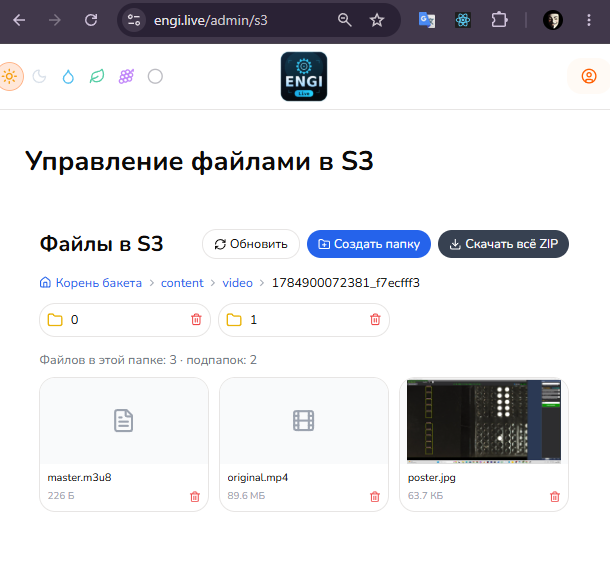
Video is transcoded to adaptive HLS (360p/720p) while preserving the original. Quick start and speed adjustments are available; original downloads are available through M4.
Media
File service
Any files (rar, exe, zip, etc.) up to 3 GB in private S3 storage. Download only via a secure link with rights verification; the file can be inserted directly into the article text.
Content
Blocks, subblocks, pages, products
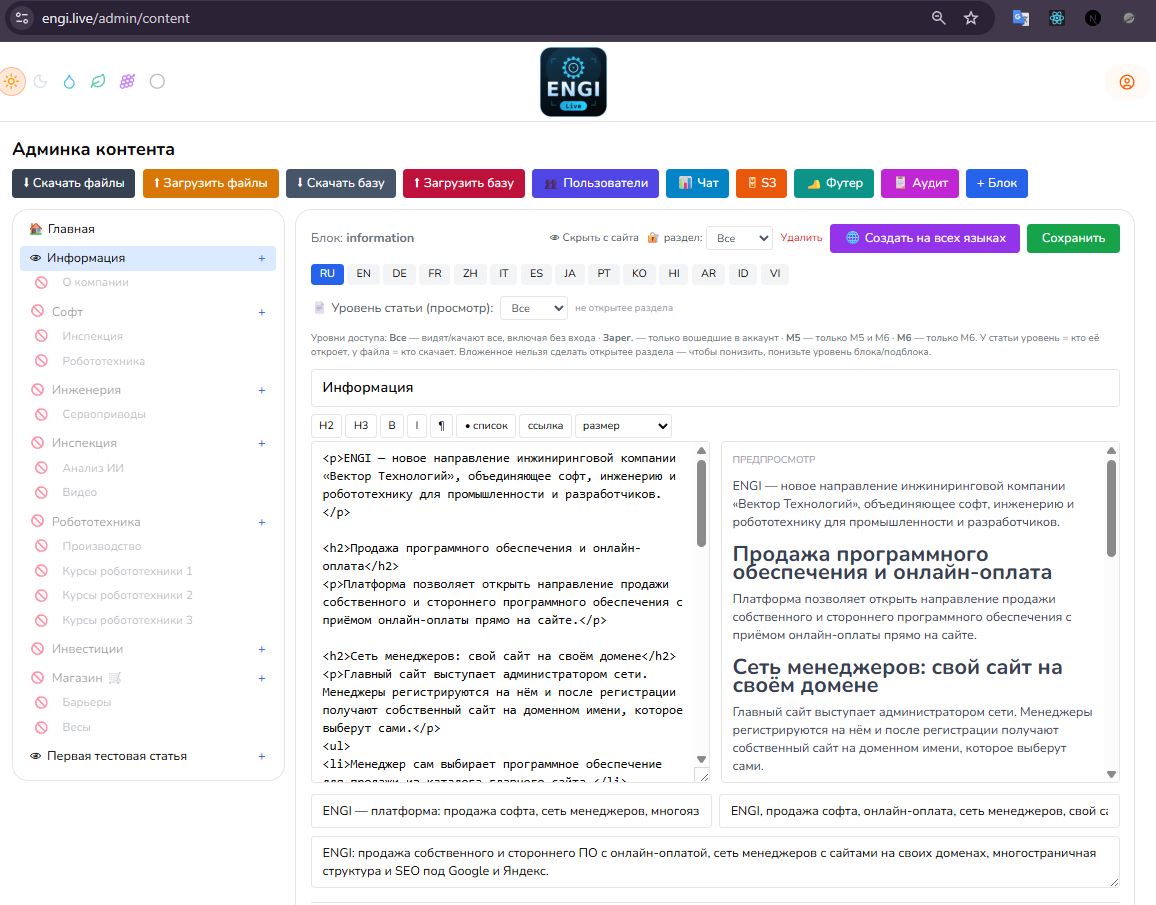
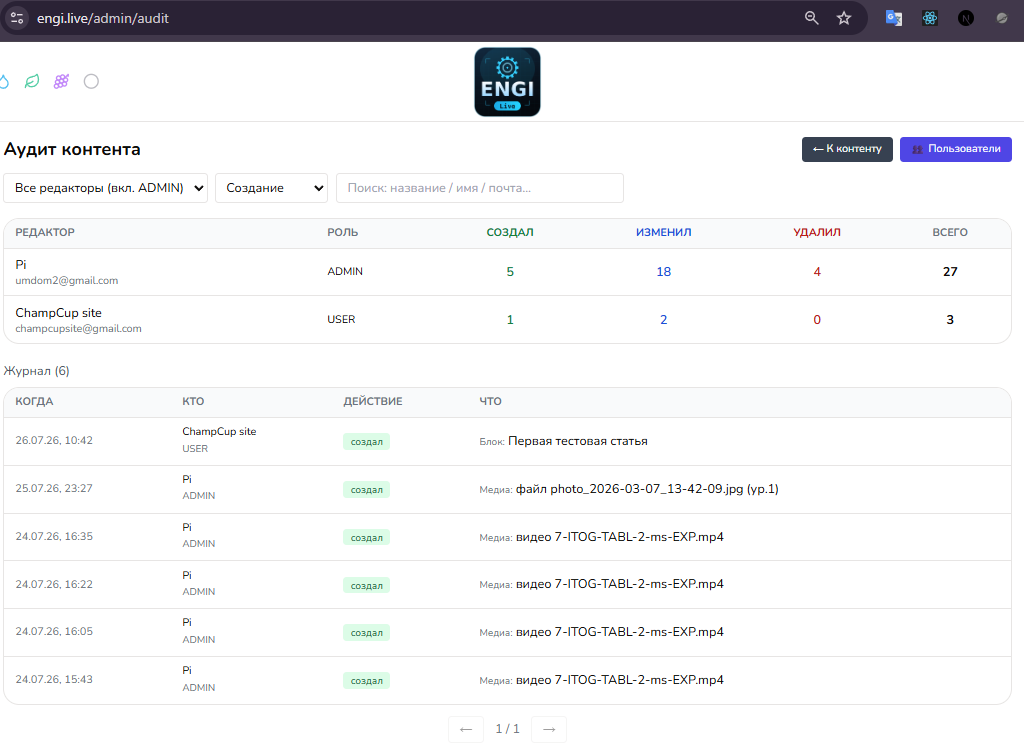
Tree: Block → Subblock → Page (article/product) → Files . The store block creates pages with products and prices. Creates/edits/deletes — with M1/M2/M3 permissions. All actions are logged in the audit trail; sections can be hidden without deleting.
Promotion
SEO adaptation
Its own meta title/description/keywords in each of the 14 languages , server rendering, hreflang, sitemap and human-readable addresses - the content is indexed by Google and Yandex.
Localization
Multilingualism and access levels
14 languages , content is stored by language; the "Create in all languages" button automatically translates the article. Access levels apply to blocks, subblocks, articles, videos, and files:
| Level | Who can access it? |
|---|---|
| ANONYMOUS | everyone, including those not logged in |
| USER | to all registered |
| M5 | owners of M5 or M6 |
| M6 | only for M6 owners |
For sections, the level restricts viewing (menus and search are filtered), and for files, it restricts downloading. A nested item cannot be made more open than its parent.
Interface
Design, Themes, and Navigation
6 color schemes (light, dark, ocean, forest, plum, gray) - switch with one click, the choice is saved, high contrast in any theme.
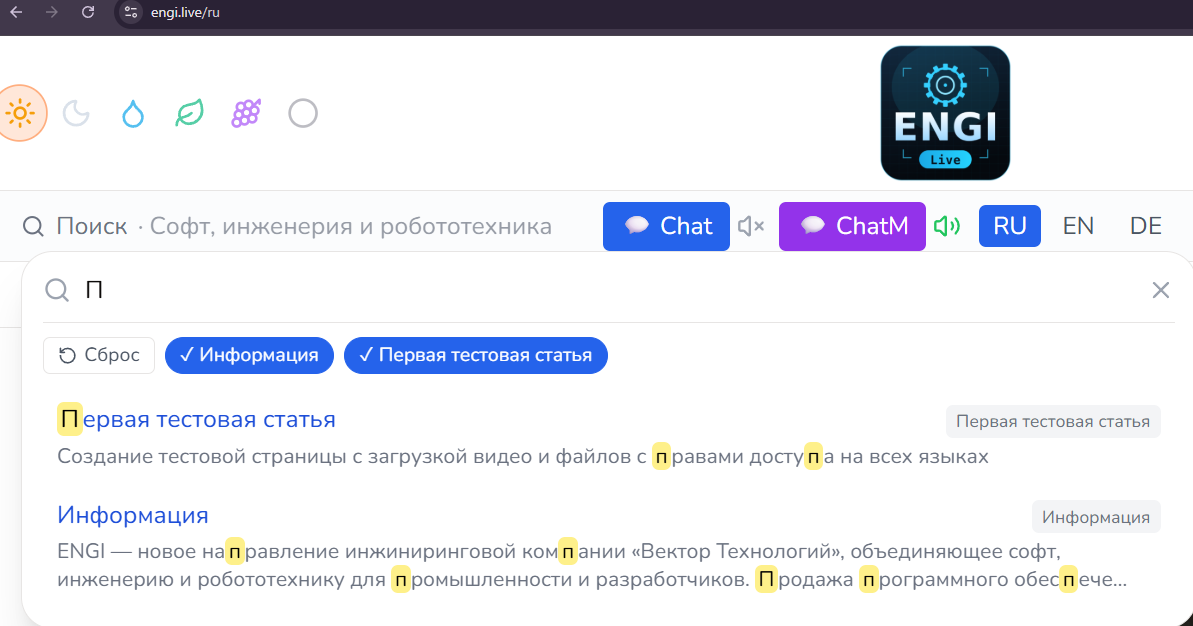
The search starts with the first characters, highlights matches, filters by sections, and displays the best matches at the top; it takes access levels into account.
Privacy
What do cookies store?
Minimum: language ( NEXT_LOCALE ) and login session ( HttpOnly ). Theme and sound are stored in the browser. No third-party ad trackers.
Infrastructure
Architecture and backup
Independent Docker services on a shared network:
The architecture is flexible —a new feature or payment gateway can be added as a separate container without affecting the rest; S3-compatible storage (migrate to AWS/Backblaze without changing code).
All content, correspondence, and files can be saved (backed up) and restored; database and file upload to a third-party server is supported.

Payments
Online payment
For Belarus, we support ERIP , cards (bePaid, WEBPAY, Assist), and cryptocurrency. For other countries, we support Stripe, PayPal, Paddle, and local methods. The payment provider is a plug-in.
Development
Prospects and Trade
A store with orders and subscriptions, digital products under copyright, CRM for managers, online video consultations, marketing newsletters, and a marketplace.
Result
Advantages
- Everything is yours, self-hosted - data under control, no user fees.
- 14 languages with automatic translation of content and live chat.
- Fine-grained permissions M1–M8 and content access levels.
- Secure delivery of files and videos.
- Flexible architecture - quickly add features and markets.
Administrator
- Single dashboard: content, users, roles, chat, audit, S3.
- Publish in 14 languages in one click.
- Backup and recovery.
Managers
- Chat with automatic translation – sales in any language.
- "Our" clients in the region.
- Right M8 - assigns part of the rights.
Clients
- Login via Google/mail, content in your language.
- Notifications: website, sound, mail.
- Payment in a convenient way.