Development of software for industrial equipment and machine vision
The robot's program is created and tested on a computer, and then runs on the robot itself. The robot receives commands from the vision system, PLC, and operator.
Connecting industrial cameras via their SDK, configuring from the program, capturing data from sensors, neural networks, and outputs for sorting.
Starting and configuring: cameras, sensors, sorters, robots, and PLCs work as a single system.
Development, launch, and maintenance via the internet. Only your engineer is needed on-site.
Who we are
"Vector Technologies" is an engineering company based in Minsk. Since 2009, we have been manufacturing and selling equipment and software for industrial automation.
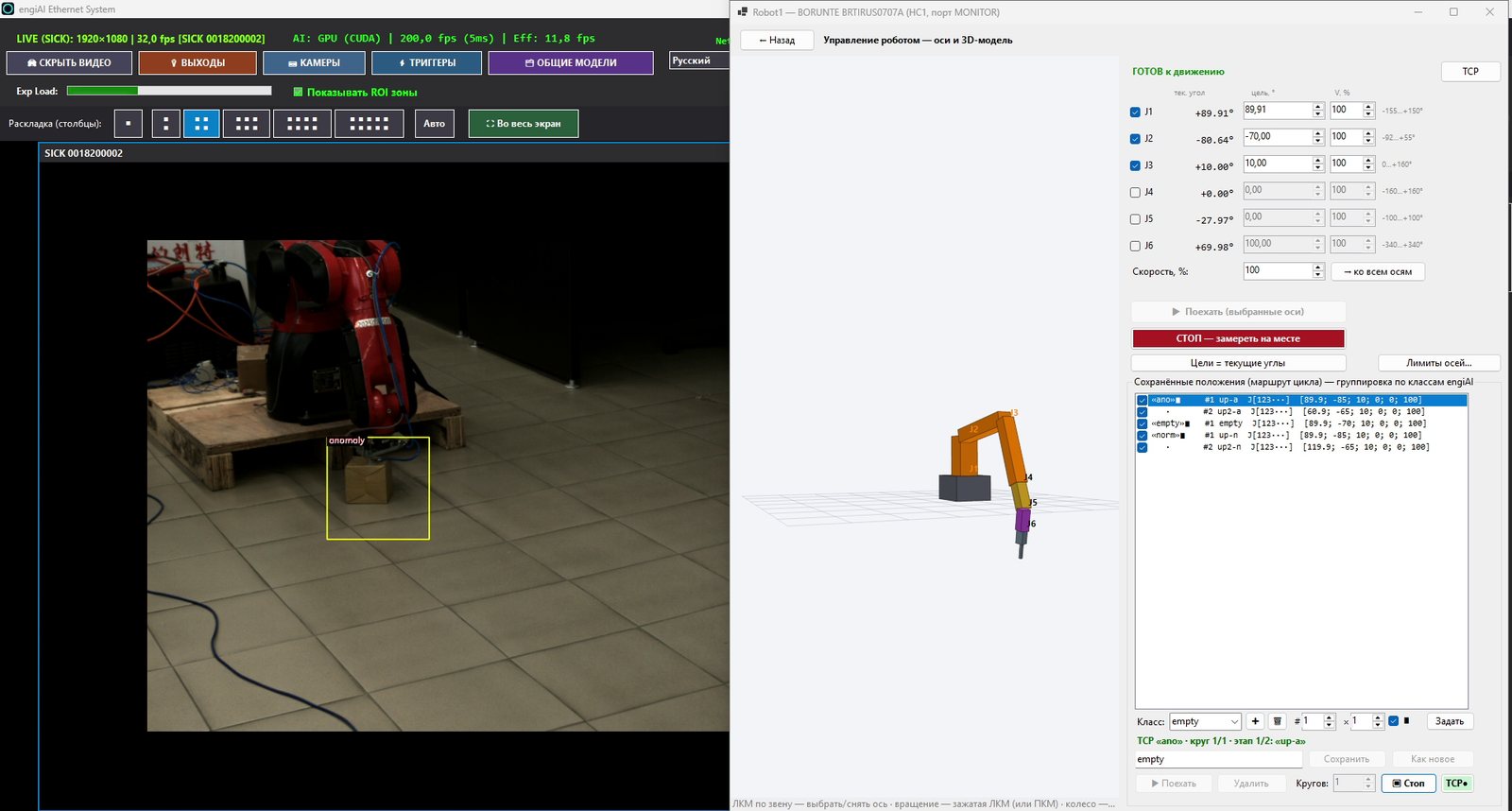
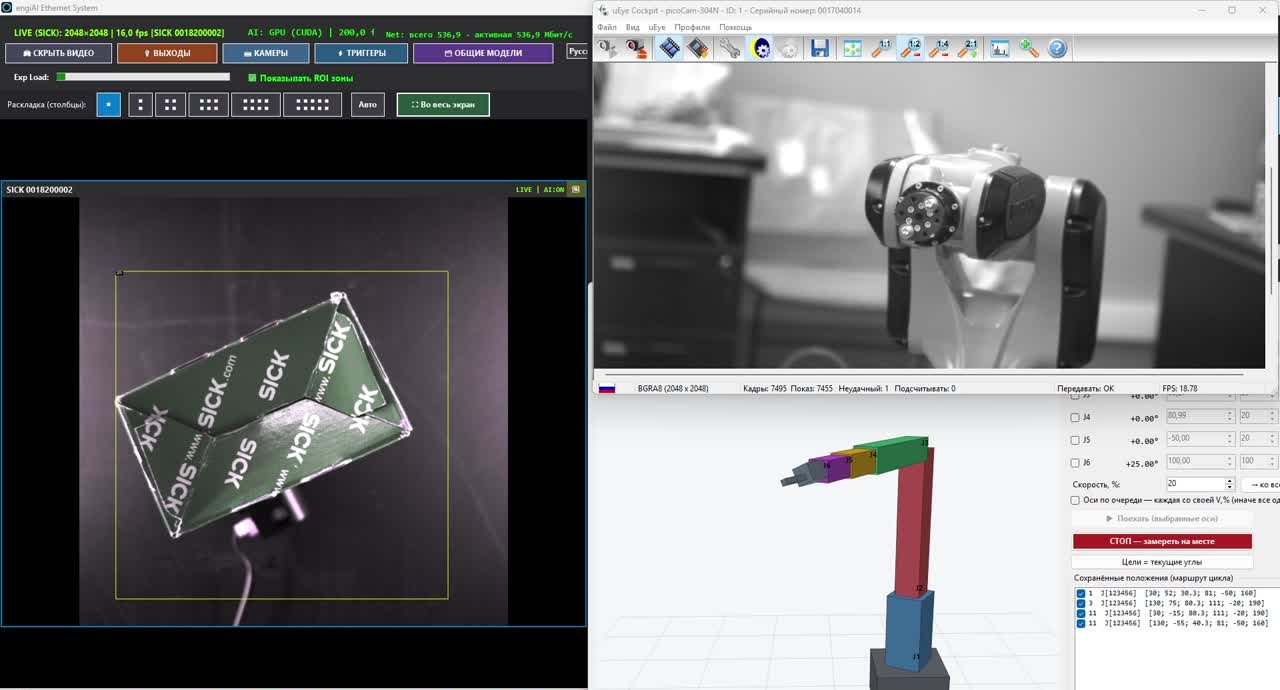
We have independently developed the engiAI (computer vision) and Robot1 (robot control) programs, and have taken the entire process from the camera frame to the robot's movement on a real-world test stand. We offer this experience as a service: we will write a program for your equipment and your specific task, deploy it on your line, and provide ongoing support.
01 What we are developing
Quality control and rejection, product identification, angle detection, counting, and reading labels – all using neural networks on a graphics card or processor.
Routes tailored to each type of product, verification on a digital twin, program upload to the robot, receiving commands from vision and PLC systems.
Communication with robots, PLCs, SCADA systems, and accounting systems via TCP/IP and Modbus TCP, as well as discrete inputs and outputs. We can add other protocols as needed for specific projects.
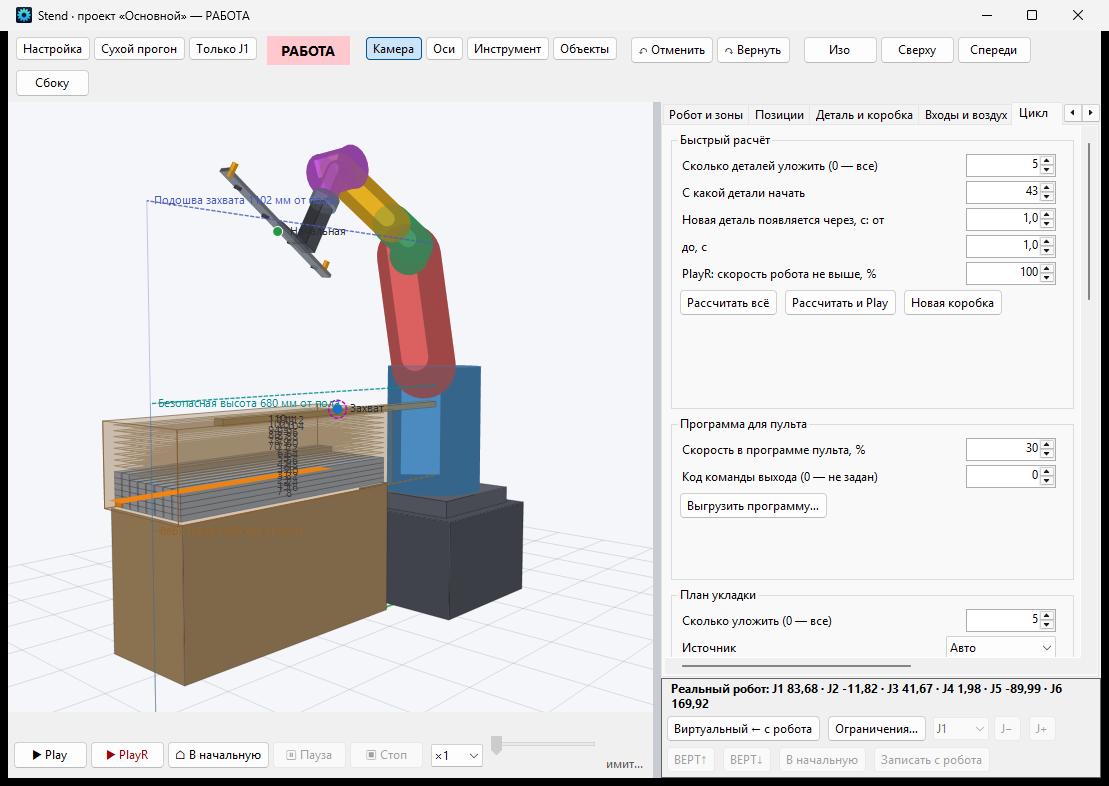
The three-dimensional model of the cell: reach, layout plan, and cycle time are calculated before purchasing and installing the equipment.
User-friendly interface in your staff's preferred language, event logs, a database of actions, and reports by batch.
Each function, protocol, and data format is tailored to a specific line, rather than being a generic solution within a universal program.
02 Industrial cameras from Hikrobot and SICK
The cameras connect through the manufacturer's native libraries, so the software controls all camera parameters, not just retrieves the image.
| Cameras | What our programs are currently capable of |
|---|---|
| Hikrobot MV-CS (GigE, USB3) | Connection via MVS SDK is strictly based on the serial number, exposure time, gain, frame rate, resolution, and all GenICam parameters, as well as saving settings to the camera's memory. |
| SICK picoCam (IDS uEye, GigE) | Connection via the uEye driver: exposure time, gain, pixel clock, hardware gamma and white balance, and saving parameters to the camera. |
| USB and IP cameras (RTSP) | Resolution up to 8K, driver properties, auto-configuration; IP cameras via RTSP link. |
| Triggers and outputs | Recording based on the sensor signal at the camera's input (front-to-frame rate of 4.2 ms), encoders, and a "defect" signal on the camera's discrete output. |
| Multiple cameras | There are no restrictions: we have operated eight and nine cameras simultaneously on our test benches. |
03 Robot Programming
We develop the robot program on a computer, checking each movement before transferring it to the actual robot.
Points, routes, and cycle logic are defined in the computer program.
Each movement is checked using a 3D model: reach, placement, and cycle time.
The finished program is transferred to a USB drive and loaded into the robot.
The program runs directly on the robot. It can be connected to, monitored, and controlled.
Our Robot1 program for BORUNTE robots, with the HC1 controller, is designed this way. We create programs for robots from other manufacturers based on the project: Inovance, ESTUN, JAKA, and many others have TCP/IP and Modbus TCP, which our programs use to connect to the program running on the robot's controller.
04 Launching and setting up conveyor lines
The program is only beneficial when the production line is running. Therefore, we don't just provide the code; we also set up the line with your specialists.
Recording using a sensor or encoder, ensuring that each product is analyzed exactly once and in the same frame.
Sending a signal to the controller, robot, or PLC, along with a log of all activations, including the zone number and time.
Cameras, sensors, robots, PLCs, and accounting systems exchange signals and data as a single line.
Selecting the camera, lens, and lighting, training the neural network on your products, and training operators and engineers.
05 Portfolio: Our Programs
Better than any description are the programs we have already developed. They can be downloaded and tried: each one works for 20 minutes without a license.
engiAI – computer vision
- Industrial inspection and rejection on the assembly line, C# / .NET 9.
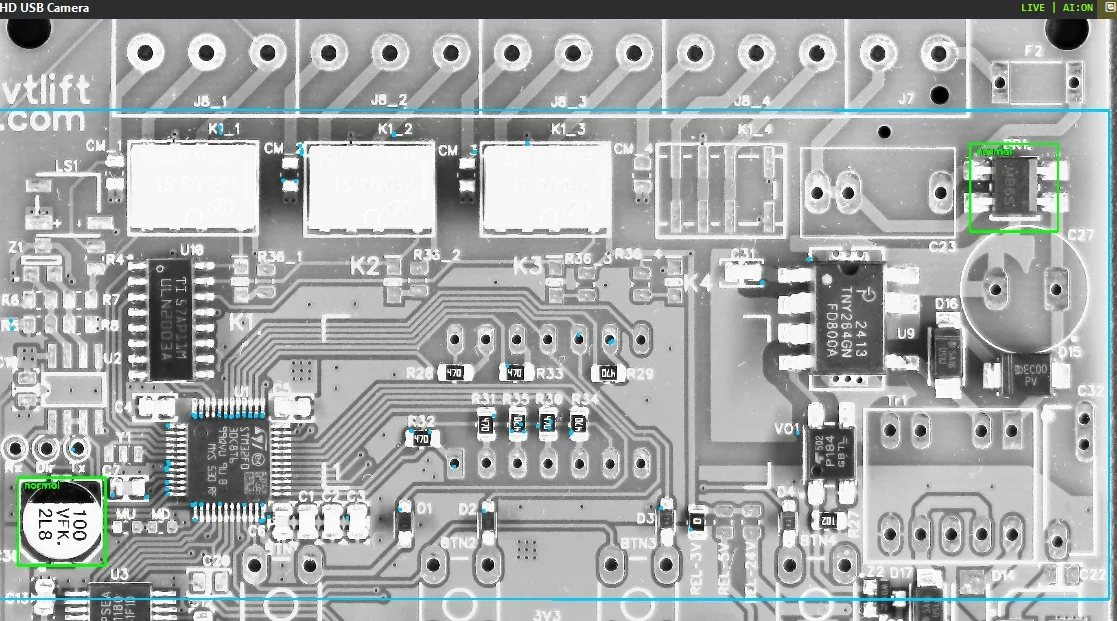
- YOLO11 neural networks via ONNX Runtime on a graphics card (CUDA) or processor: analysis of a frame in 4–5 ms.
- Training models directly from the program; the training sample is created from several synthetic images.
- ZONE-PAIR method: one model for the entire printed circuit board, with its own "normal / defect" pair for each component.
- Cameras from Hikrobot, SICK, USB, and IP; outputs to a rejector, PLC, and robot via TCP/IP.
- Interface in 14 languages, licensing with hardware binding, operation without internet.
Robot1 – Robot control
- Direct communication with the BORUNTE HC1 robot controller via JSON/TCP, without the use of a teach pendant.
- Manual control of each axis, saved positions, 3D robot model.
- Module Stend: digital twin of a cell, reachability, layout plan, and cycle time.
- Receiving commands from machine vision: the robot rotates the gripper to the component with an accuracy of 1°.
- Protection of the robot from the flow of neural network commands: a dead zone, stability hold, smooth target capture, automatic recovery after an accident.
06 How We Work
You send us a description, photos, or videos of the item and the area requiring the service.
We confirm that the task can be completed, specify the timeline, cost, and equipment required.
We write the program and test it on our physical prototype and digital twin.
We can remotely deploy or perform on-site installation, working alongside your engineer.
We train staff, answer questions, and update and improve the program.
07 Technology
| Region | What we use |
|---|---|
| Platform | C# / .NET 9, WinForms, Windows 10/11; Python for training neural networks. |
| Artificial intelligence | YOLO11 (object detection, classification), ONNX Runtime, CUDA, synthetic data for training. |
| Cameras | Hikrobot MVS SDK, IDS uEye (SICK), GigE Vision, DirectShow, RTSP; stereo vision using two cameras. |
| Connectivity | TCP/IP |
| Robots | BORUNTE (controller HC1, JSON/TCP); other manufacturers – as per project specifications. |
| Data | SQLite, event logs, and configuration export. |
08 We operate globally.
Development, configuration, launch, and training are conducted online: you don't pay for travel expenses, and deadlines are not dependent on visas or flights. We prepare user interfaces, manuals, and commercial proposals in your staff's preferred language. For companies in Belarus, we visit the site and demonstrate the system on our stand in Minsk.
Please provide a description of the equipment, photos or videos of the products and the area. A free assessment: we will provide a solution, estimated timeframe, and cost.