Robotic automation: one robot performing multiple operations, deployable in any country
Modernize a section, build a robotic production line, or launch a new manufacturing process. An industrial robot picks, sorts, loads products into packaging, and loads machines. A camera with artificial intelligence, if needed, locates the product in any position and identifies defects.
We, "Vector Technologies" from Minsk, developed the software for the robot and machine vision systems. We configure, deploy, and train remotely: only your engineer is needed on-site.
The robot picks up, inspects, stacks and rejects products, and loads machines.
The camera identifies products in any orientation and detects defects without special fixtures.
We provide remote setup, launch, and training, available in any country.
Three ways to integrate a robot into your production
Modernize an existing area
The robot is placed next to your conveyor belt, machine, or packaging line and takes over manual tasks.
- We analyze the task using video and photos of the area;
- We select the appropriate robot and camera – or integrate vision into a robot that is already in your facility;
- We test the process on a digital twin before installation.
- Let's implement it remotely, step-by-step – from a dry run to a complete cycle.
Build a robotic workshop
We assemble the cells in a digital twin: we verify the reach, layout plan, and cycle time before the first movement of the actual robot.
- Equipment specifications: robot, camera, lens, lighting, computer, gripper, sensors.
- You purchase the equipment from local suppliers according to our specifications.
- We provide connection diagrams and consultations via video conferencing during installation.
- Remote setup and online training for your personnel.
Start a new production
Thinking of producing a new product? A robot with a camera allows you to start without a large workforce: it packs, sorts, inspects, and maintains machines in every shift.
- A new product means a new neural network model and routines, not new tooling.
- Even small batches become profitable.
- Start with a single cell and replicate it by copying the project.
- We will calculate the return on investment based on your figures.
One robot can handle multiple tasks
Each camera response triggers a specific robot path. Therefore, within a single cell, the robot combines operations that are typically performed manually in different locations:
The robot arranges products in rows and layers, and the software automatically calculates the placement for each item.
It sorts products by type, size, or grade based on the neural network's analysis.
The robot rotates the product to an angle determined by the camera, ranging from 0 to 359 degrees.
The camera, which guides the robot, simultaneously checks the product for defects.
It loads machines, presses, or conveyors based on signals from sensors and inputs.
The robot removes defective products from the production line and places them in a separate container.
When is machine vision needed?
🤖 Robot without a camera
If the product always arrives at the same location, a robot with the program "Robot1" is sufficient. This program can handle routes for each product, arrange the products in boxes in rows and layers, and initiate cycles based on signals from sensors.
The complete cycle is downloaded to the robot's teach pendant, allowing the robot to operate independently without a computer.
📷 Robot with a camera, powered by engiAI
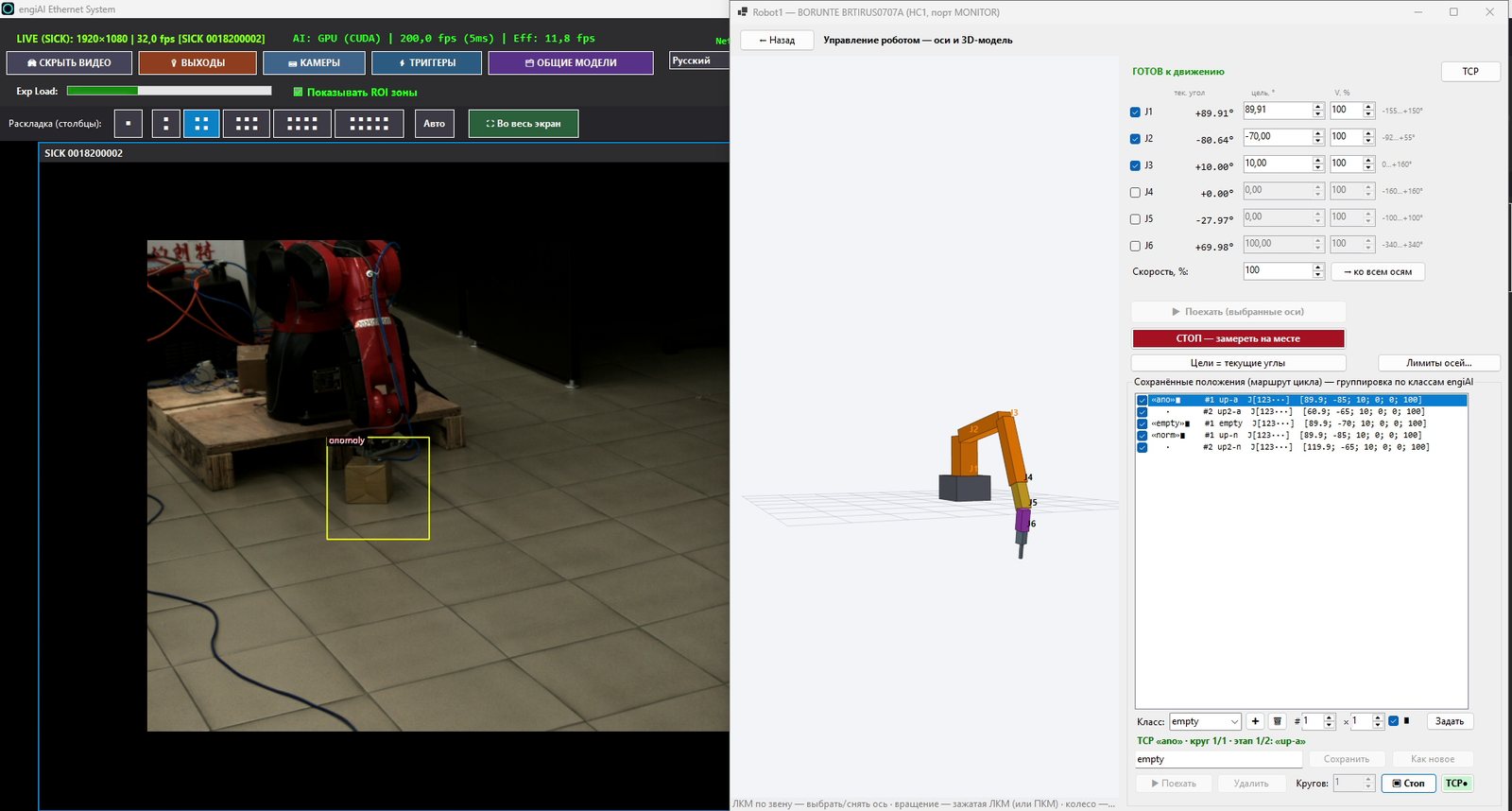
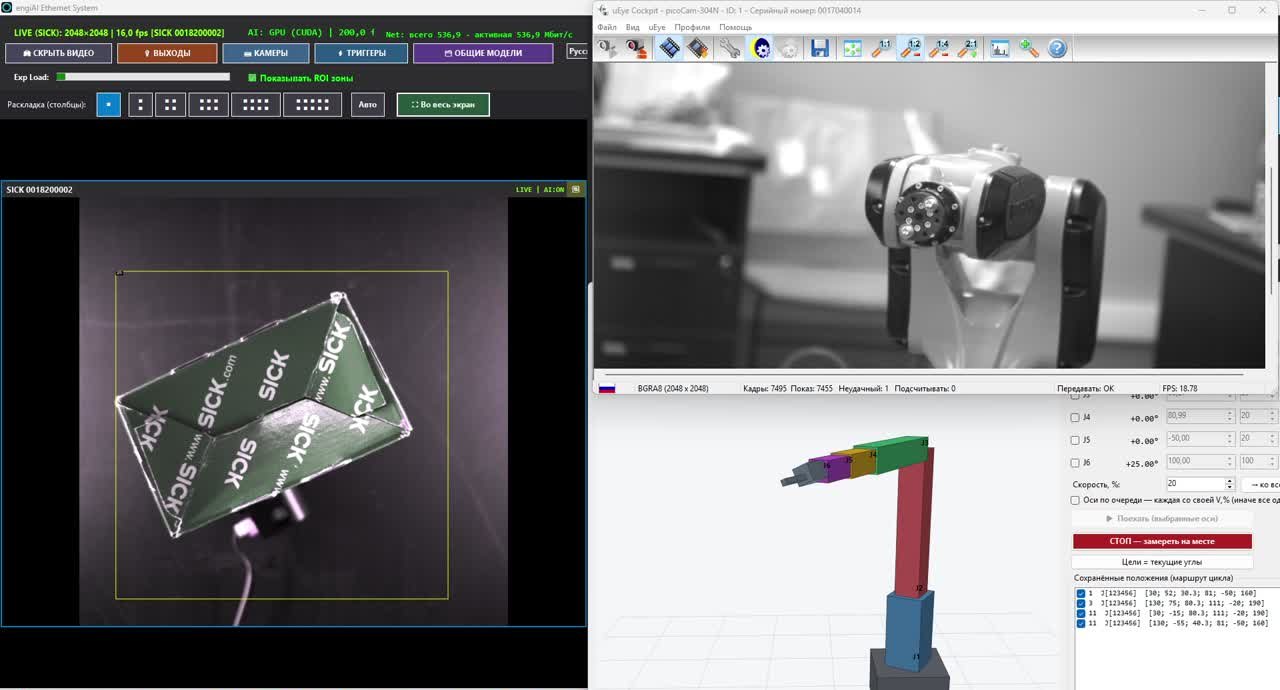
If the products are arranged haphazardly, are of different types, or need to be inspected, we add a camera with a neural network. It identifies the product in any position, determines the type and angle, and distinguishes between acceptable and defective items.
No fixtures, supports, or vibratory feeders are needed for each product: the robot adapts to the part itself.
The robot and the software are the same – the vision system is added later, when sorting or quality control is required.
We also work with other industrial robots. The BORUNTE robots are controlled directly via the network by the Robot1 program, while robots from other brands and PLCs receive commands and recognition results from engiAI over the TCP/IP network. Therefore, machine vision can be integrated with robots that are already installed in your facility.
Our own software
The software for machine vision and robot control is developed by "Vector Technologies." We are responsible for the entire process, from the camera image to the robot's movements, and we customize the software to your specific needs.
With just a few images of the product, the neural network can be trained with a single click. The system supports cameras from Hikrobot, SICK, as well as USB and IP cameras. It can be controlled via TCP/IP commands, either directly or through a PLC (Programmable Logic Controller).
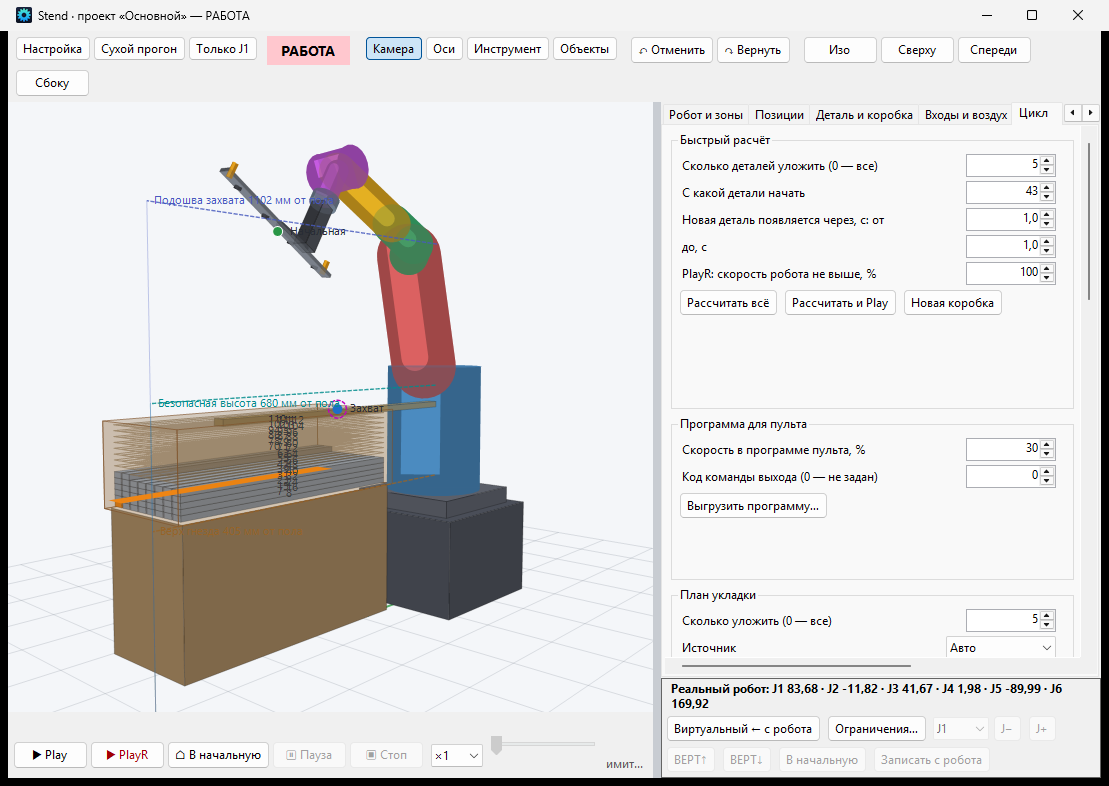
Poses and cycles, box packing, entry and exit points, soft axis limits, and forbidden zones. The BORUNTE robot is controlled by a computer over a network.
The robot, the box, and the part are arranged on a 3D scene, and the cycle is tested on a model before the actual robot is deployed.
Need a new feature, a communication protocol, or a report? We add it ourselves, without having to correspond with different suppliers.
Image processing is performed on a computer located on the production line, so your production images never leave the facility.
The operator works with the software in their own language, and the software manuals are also available in 14 languages.
Detailed information about the programs: engiAI - Machine vision · Robot1 — robot control · Video: A robot sorts boxes on our test bench · A comprehensive commercial proposal
Where this is used
Box orientation and stacking, palletizing, sorting, and dimensional measurement using a stereo camera.
Monitoring product flow on the conveyor belt, detecting dropped containers, and sorting.
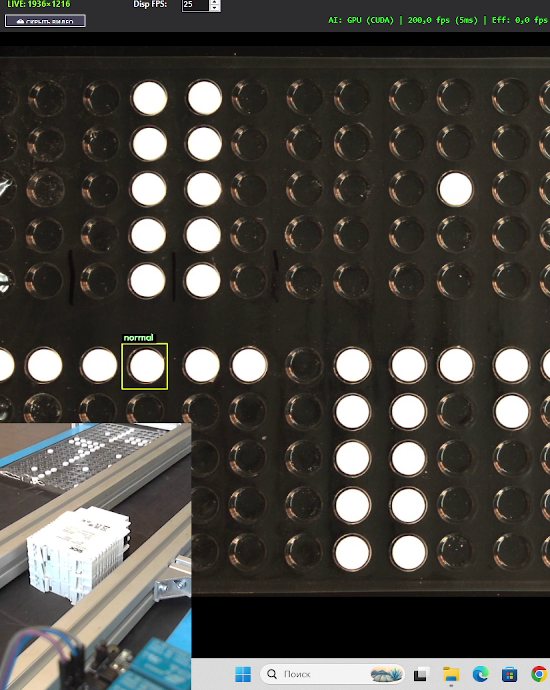
Tablet inspection in blister packs, packaging and labeling control, and rejection.
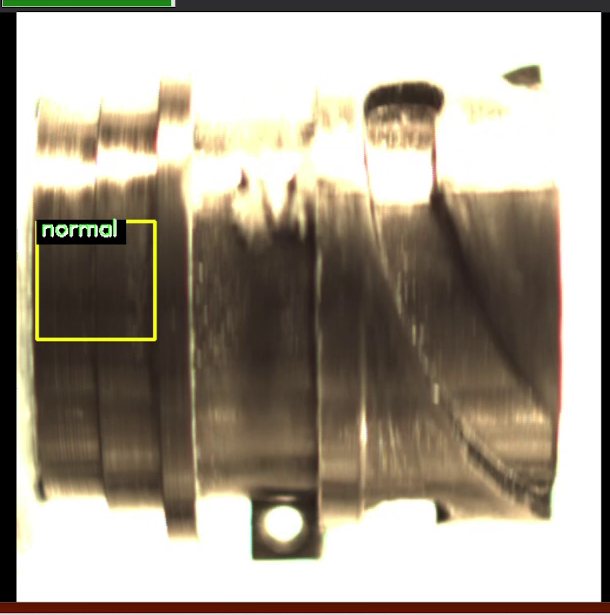
Loading machines and presses, inspecting parts, and loading parts into containers.
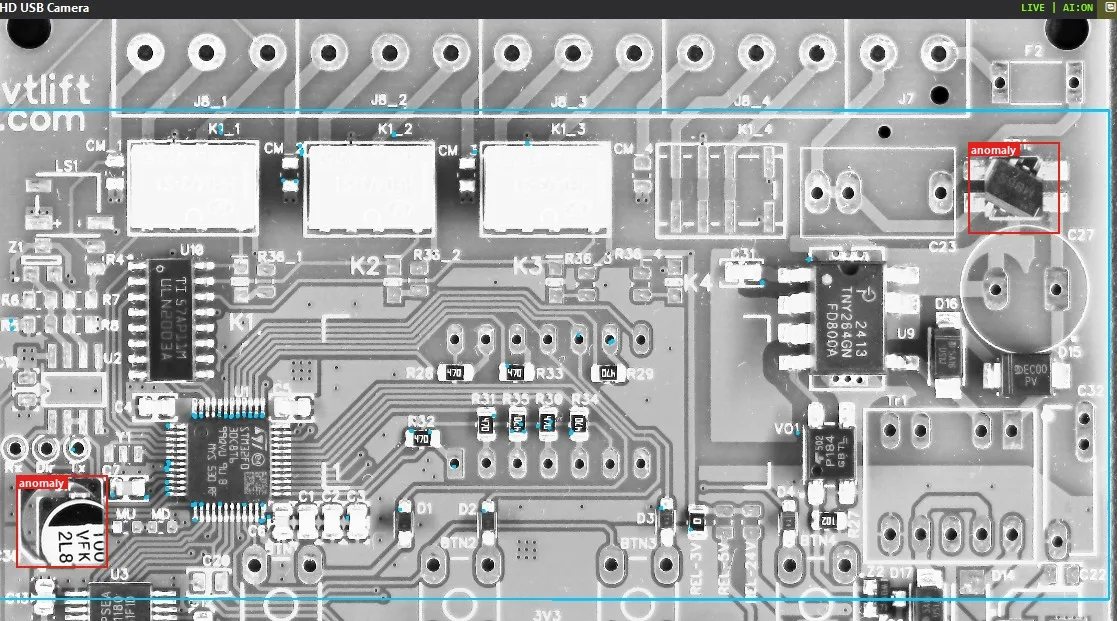
Inspection of printed circuit board assembly: checking for the presence, alignment, and orientation of components.
Inspecting markings and insulation, transporting spools using automated carts.
Palletizing and de-palletizing, measuring the dimensions of goods.
Why choose us
We configure programs remotely, train the neural network on your products, and launch the robot together with your engineer.
The vision system, communication, and robot control are all managed by a single team, ensuring issues are resolved directly.
Both programs record every action, allowing us to see what happened at the workstation without needing to visit the site.
2,500 square meters of production space, ISO 9001 quality management system.
Online training sessions are available for operators, technicians, and engineers; recordings of the sessions are kept for your reference.
The second identical workstation is launched by copying the project and the neural network model, rather than creating a new project.
- Start with a single cell that immediately handles multiple operations.
- Switching to a new product takes hours: a new neural network model and new processing routes are required, but the cell's mechanics remain the same.
- Therefore, it is beneficial to automate even small batches, even those produced in a single shift.
- The robot takes over repetitive tasks in each shift.
The robot is always deployed in the presence of a human operator on site. We configure the system and monitor the process remotely via video conferencing, while your engineer controls the robot's movements and has access to the emergency stop button. During the initial deployments, the robot's speed is limited by the software.
For remote operation, you will need:
- a stable internet connection on the cell's computer;
- remote access software approved by your IT department;
- video communication capabilities from a smartphone or laptop connected to the robot.
How to get started
Write to us via Viber, WhatsApp, Telegram, or email, and briefly describe the process you would like to automate.
A short video of the operation and photos of the products allow us to assess the task without a site visit.
During a video conference, we will discuss the task and demonstrate the software and robot in action on our test platform.
We will train the neural network using images of your products and show you the results of the recognition process.
Let's prepare the equipment specifications, a remote deployment plan, timelines, and costs.
We will conduct remote implementation, setup, and staff training.
How we calculate the return on investment
We calculate the return on investment based on your figures. To calculate this, we need data from the table below.
| Data from you | What follows from them |
|---|---|
| How many employees are involved in the operation per shift, and how many shifts are there per day? | How many working hours per year are replaced by a robot? |
| The cost of one hour of labor, including taxes. | Annual savings on labor costs. |
| The defect rate and the cost of each missed error. | Savings from automated quality control. |
| How often the product changes per month, and how long does the setup process take? | Savings on tooling and downtime. |
| The cost of a robotic cell or a robotic work area is tailored to your specific application. | Payback period: the cost divided by the annual savings. |
Cost
First robotic cell. A one-time license for a single robotic cell, which refers to a single computer. There is no annual fee, and the software operates without time restrictions.
The price includes engiAI and Robot1, our software support, and all updates for a year.
Each subsequent module is licensed separately. With our support package, the price is higher. Without our support, the price is lower: your engineer works with the software using the provided instructions.
We will select a robot that meets your specific needs and create the equipment specifications – you can purchase this equipment from local suppliers.
What is support? This refers to software support, not project management: we train your engineer on how to use engiAI and Robot1, and we answer their questions about the software. If you need us to manage the project, that is a separate agreement.
Updates. The software is constantly being updated. For the first year, all updates are free – both for the initial robotic cell and for any subsequent ones. From the second year onwards, you will not have to pay for the software itself, but new updates may be subject to a fee. If the price of these updates is not to your liking, we can discuss it.
Questions and Answers
What types of robots are supported?
We work with other industrial robots as well, not just BORUNTE robots. With BORUNTE robots equipped with the HC1 controller, the Robot1 software directly controls the robot over the network – from a computer, a digital twin, or by loading the program onto a teach pendant. Robots from other brands and PLCs receive commands and recognition results from engiAI over the TCP/IP network. Therefore, machine vision can be integrated with robots that are already installed in your facility.
Do you need to send someone to our location?
No. We work remotely from Minsk. You need to have your own engineer on-site to work with the robot, while a mechanic and electrician will install the equipment according to our diagrams.
What kind of computer is required?
Windows 10 or Windows 11, 64-bit. A NVIDIA graphics card accelerates training and analysis; without it, the program runs on the processor.
What happens if the product changes?
For a new product, a new neural network model is trained, and new routines are created. The mechanical aspects of the system remain the same. After training, your staff will handle this.
Is a cloud connection required?
No. The recognition process runs on a computer located at the production line. Internet access is needed for remote setup and support, and we connect with your IT department's approval.
Can I try it out before I buy it?
Yes. Without a license, each program runs for 20 minutes. Additionally, we can demonstrate the system online on our test bench and verify its performance using images of your products.
Please send us a photo or a short video of the procedure, and we will let you know what aspects can be automated and calculate the potential return on investment based on your specific data.
Technical specialist at "Vector Technologies," software engineer, software developer engiAI and Robot1 · Minsk, Belarus
Programs, guides, and videos – engi.live